nav-left cat-right
cat-right

10 Skills EVERY computer user should have (or lear...

I originally posted this list in January 2007. However, through my keen observation skills, I discovered that all computer users have not yet read and digested this information. For this reason, I’m posting it again because I won’t stop working to educate computer users until every computer user knows these 10 skills. Computers have become almost a main stream household appliance. Whether you have been using a...

Setting up a new computer

Prevention is the best medicine when it comes to avoiding illness in ourselves. Prevention in the computer world is no different. And like a newborn baby, a newly purchased computer is subject to many terrible diseases and problems if not properly cared from the moment it is taken from its cardboard box. I follow these steps when setting up a new computer system for my clients, and recommend this methodology for all new...

How to print stuff from the web the way YOU want i...

I created these notes for a client today who visits many sites with text that prints small. She knows how to make the screen text larger, and I referred to the tips  (below) about printing from the web, but sometimes good ol’ copy and paste is necessary to truly get the look you want on paper. Learn how to use the Printer Friendly Option – Video Tip How to Save Time & Money when printing Email – Video...

Avoiding the Mysterious Duplication of Files ̵...

Today’s quick tip is a video tip explaining why files seem to duplicate themselves, and what you can do to avoid and correct the problem. I receive desperate calls about this phenomenon many times per month, and it as always, the computer isn’t doing anything wrong or on its own…it’s all about the mouse. Take a look:   The video (under 3 minutes) contains audio as well so turn up your...

Cut, Copy and Paste! – Video Tip

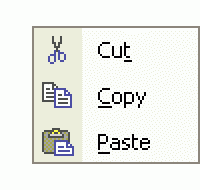
These techniques should be standard tools for any computer user. However, many computer users find these techniques elusive. The ability to move (cut) or copy information from one computer program to another sets you free to do so much more with your computer. Cut, Copy and Paste function by temporarily storing the information, cut or copied, into a temporary holding spot of memory known as the clipboard (Click here for the...

7 ways to become a more efficient web user –...

This is a reintroduction and retitling of a previous video/tip because of a copyright infringement complaint fromFranklin Covey. Hopefully, the new title and verbiage will satisfy their legal staff. All week long I help computer users of all ages and experience levels. Too often, I see that many computer users (beginners and experienced alike) do not utilize or know about some basic web browsing skills that will speed their...

Changing email addresses – It’s not th...

AOL made millions of dollars for years because computer users are afraid to change their email addresses. All week long, I hear, “Oh, it’s too hard to change email addresses now.” Or, “It will take forever to change my email address with everyone.” Come on folks…we’re using computers! You don’t have to fill out a change of address form and march it down to the postal office. You...

Share YOUR Favorite Keyboard Shortcuts

I’m always amazed at how surprised computer users become when they learn about a keyboard shortcut. A keyboard shortcut is a combination of keys that you press on your keyboard to perform a particular function. If you learn them and practice them, they can shave hours off of the tedious maneuvering of the mouse. These are my favorite and most used computer keyboard shortcuts: Alt + TAB Switch between Open...

How to burn a CD with Windows XP

Floppy disks have long since departed from the computer landscape. Most comptuer companies have not included floppy drives as standard equipment for at least two years.  I say good riddance except for one thing…they were easy to use. Computer users felt comfortable copying and backing up information to these slow, yet convenient drives. For quick and roomy storage today, I recommend flash memory drives (click here for...

Backup Outlook Express Email – Video Tip

This week’s tip also applies to Windows Vista users who use Windows Mail…which is basically Outlook Express with a new name. I still recommend that emailers save their important pictures and documents sent to them via email to a folder on their computer for easier backup (see my video tip on how to do this by clicking here), but many people also save a great deal of email and don’t want to lose it. Outlook...

Cleaning and removing Antivirus 2009, PAV and othe...

Preventing your computer from becoming infected is infinitely easier and less stressful than cleaning up after an infection. Search my site for tons of information on setting up your computer for security and techniques to avoid scams. However, if you are already bit by one of the most recent nasty forms of software, Antivirus 2008, Antivirus 2009, Personal Antivirus, Internet Security 2009 among others (software I call...

Save as you edit and create

I regularly talk about backup on this site and on the radio show.  One part of backup that you might have overlooked is the process of saving the work that is currently on your screen. Whether it be an email, a word processing document, a movie, a photo or any other file you are editing, saving as you work always pays off. The process is simple, the habit takes perseverance. Save and name your project as soon as you begin...

Rick answers his email Videocast – 027

A great question this week about how to fill out a paper form using your computer. Many other good questions as well including my answer to a writer who downloaded an illegal copy of Photoshop. This week, the Videocast is brought to you by questions from: Terry, Fern, Marcia, Sudarshin, Richard, Gayle, Kim, Bernie, Bill, Azumah, Jack, and Mike. ...

Don’t buy a new computer yet

2009 is upon us and computer prices are incredibly low, but if you can wait a year to buy a new computer, I would highly recommend it. Why? Microsoft plans on releasing the next version of Windows either late in 2009 or early in 2010. All indications point to the earlier release since Microsoft is anxious to bury Vista. Last week, Microsoft extended the life of Windows XP for a fifth time! This indicates the continued...

Treo, what Treo?

After two solid months of using my iPhone 3G, I decided it was time for a short update. As many of you know, I used a Palm device for many years, ending with the Treo from 2003 through this August. When the first iPhone came out, I was intrigued, but thought Apple missed the boat, for me, by not utilizing the fastest cellular data network and not allowing 3rd party applications. When they announced the new iPhone last January...
Page 1 of 71234567